

I spent five years as the Lead Designer at MeetingPulse, where I was instrumental in evolving the platform from a startup tool into a robust enterprise SaaS solution. During my tenure, I owned the end-to-end design process, from building the core design system to shipping critical features that scaled for audiences of up to 50,000. My focus was always on taking complex, high-stakes meeting workflows and making them intuitive and accessible for every user.
Key Leadership & Impact:
Scalability: Designed and managed the core Design System, ensuring UI consistency across the platform and marketing site.
Enterprise Solutions: Delivered custom, high-security designs for Tier-1 clients including Google, Reddit, and Verizon, managing meetings of up to 50,000 attendees.
Full-Cycle Ownership: Directed the product process from user story mapping and A/B testing to final hand-off; collaborated daily with developers to ensure 1:1 implementation quality.
Ecosystem Integration: Expanded product stickiness by designing native integrations for Zoom, Webex, and Microsoft Teams.
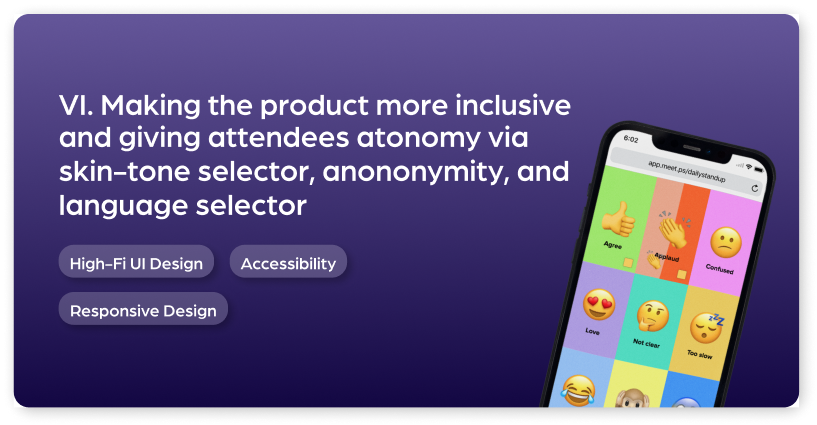
Inclusive Design: Pioneered features to increase attendee autonomy, including anonymity controls, language selection, and an inclusive skin-tone picker for engagement tools.
Platform Evolution: Led the complete restructure of the Admin, Presenter, Attendee and Dashboard views.
Project Showcases
I. Project Showcase: Streamlining recurring meetings for enterprise clients
MeetingPulse's target users are enterprise managers. We worked with a consultant to conduct user research and identify what kinds of issues enterprise managers faced, as well as conducted our own research and interviews with existing clients to understand their pain points in orchestrating meetings. One of the most prevalent needs we discovered was the need to streamline the UX for recurring meetings: it was a pain for managers to spend lots of time creating customized, complex meetings and to not be able to recycle that same structure for a different scenario. This includes meetings like daily stand ups, monthly all-hands, and other recurring meetings.
The ability to be able to analyze these difference occurrences holistically was also a major need. I worked hand-in-hand with my Product Manager to map out all actions and issues related to recurring meetings. We devised a new meeting lifecycle, which would make meetings more fluid and flexible "organisms" that grow, merge, and overall contribute to an organization's health. By adding new concepts like meeting "sessions", the ability to stop and play meetings, and the removal of confusing actions, the path of success for users sharply increased. This project was successfully implemented and has received fantastic reviews from our enterprise customers.
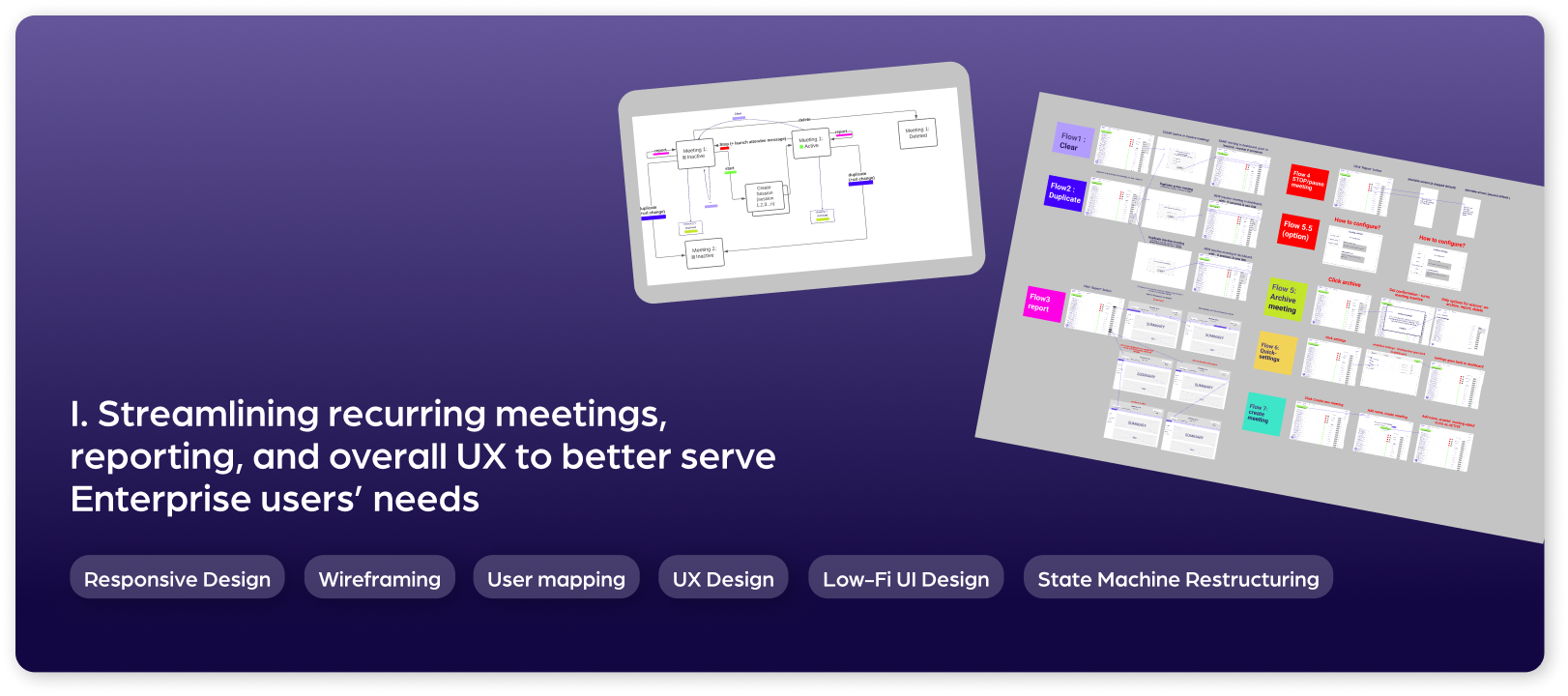
1. Mapping and improving meeting state machine
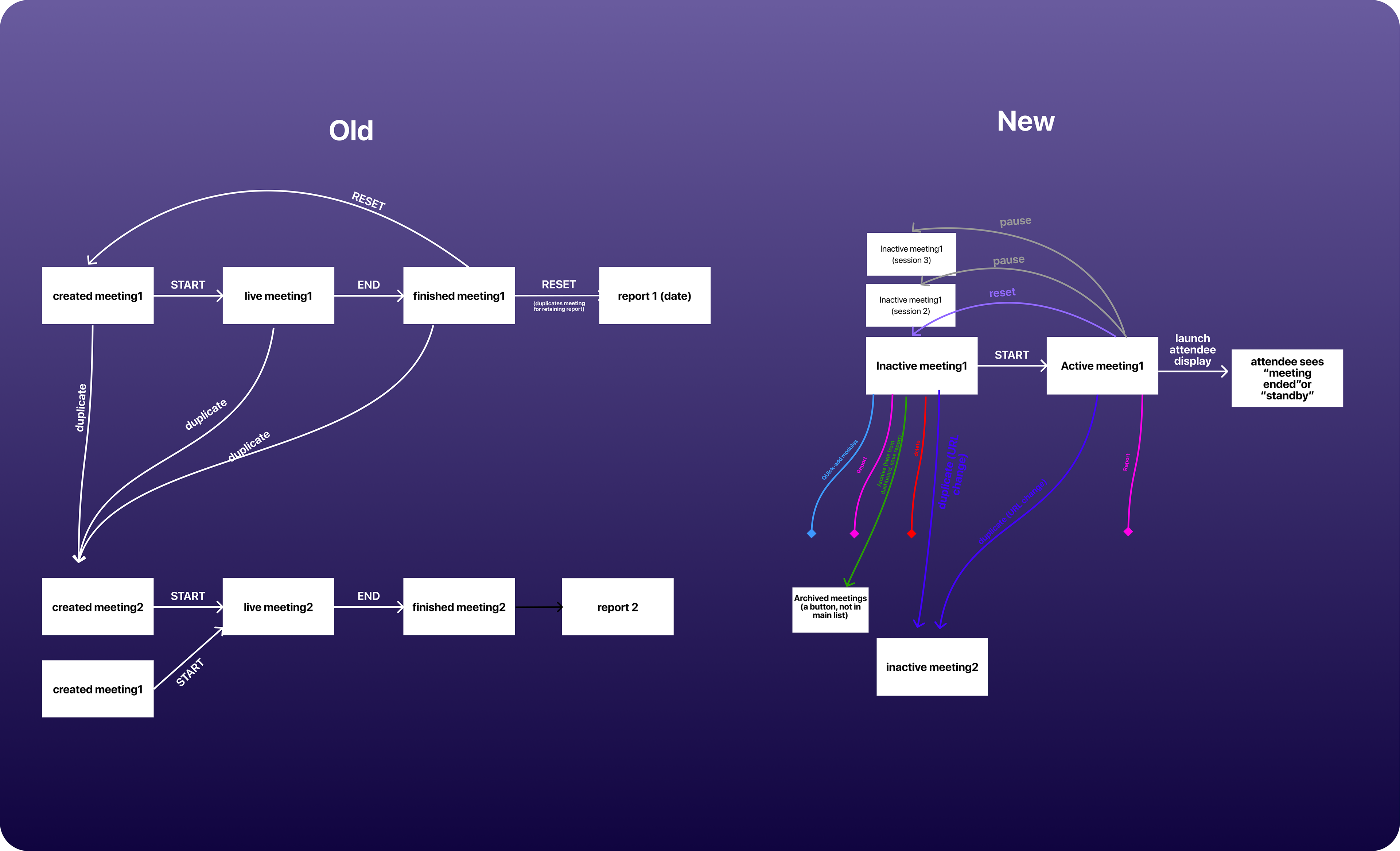
The first action was to understand the different flows that users could currently take to manage meetings, where they could be simplified, and where new functions were necessary to introduce.
To the right is the state machine before the work began, as well as the new, desired machine that I made in collaboration with my Product Manager.
2. Low Fidelity Designs
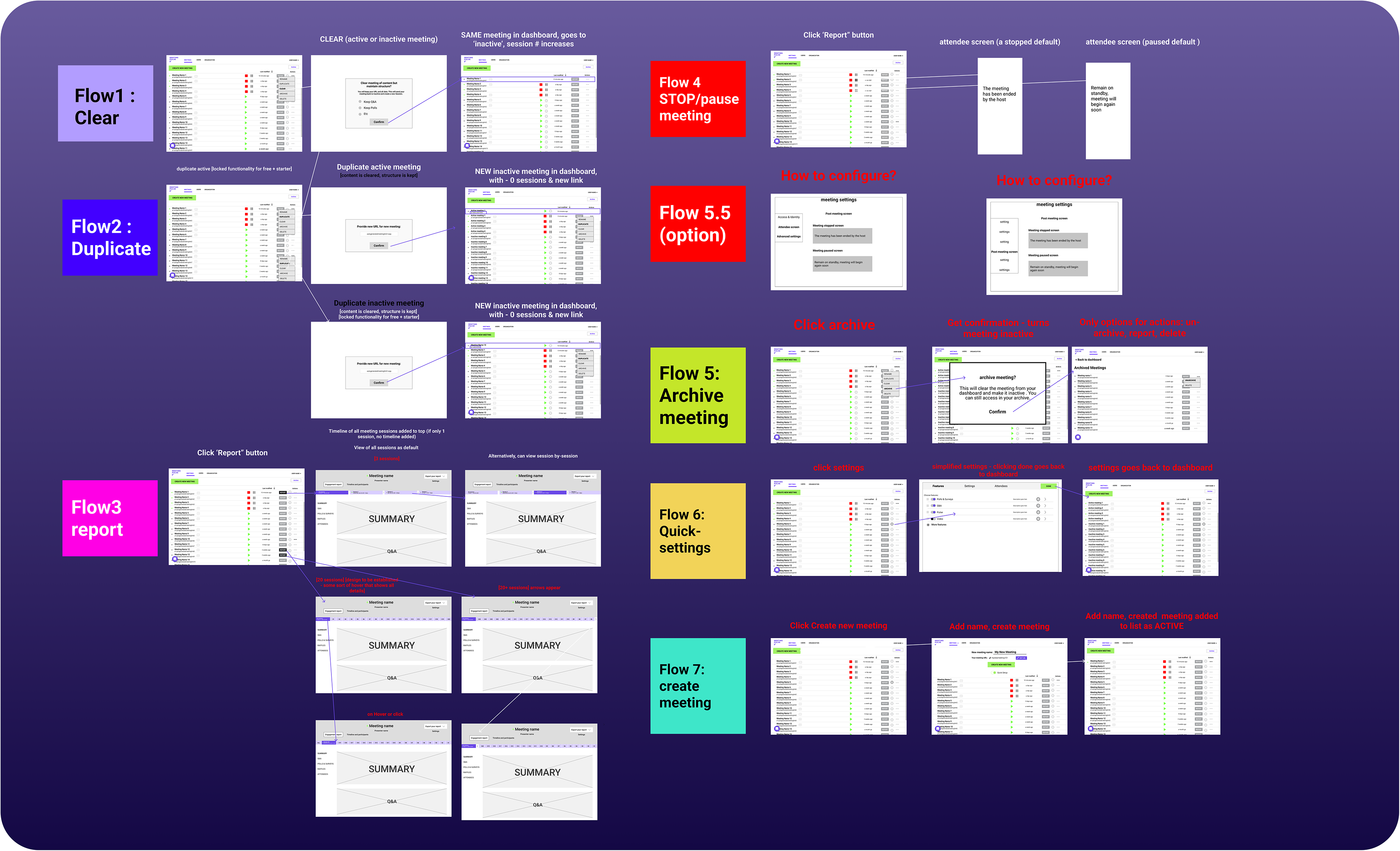
After all stakeholders involved approved the new state machine, it was time to bring the new "lifecycle" to life with low-fi mockups. The primary purpose of this stage was to visualize all the flows (from the state machine), and make sure all stakeholders were in agreement on the proposed functionality and features.
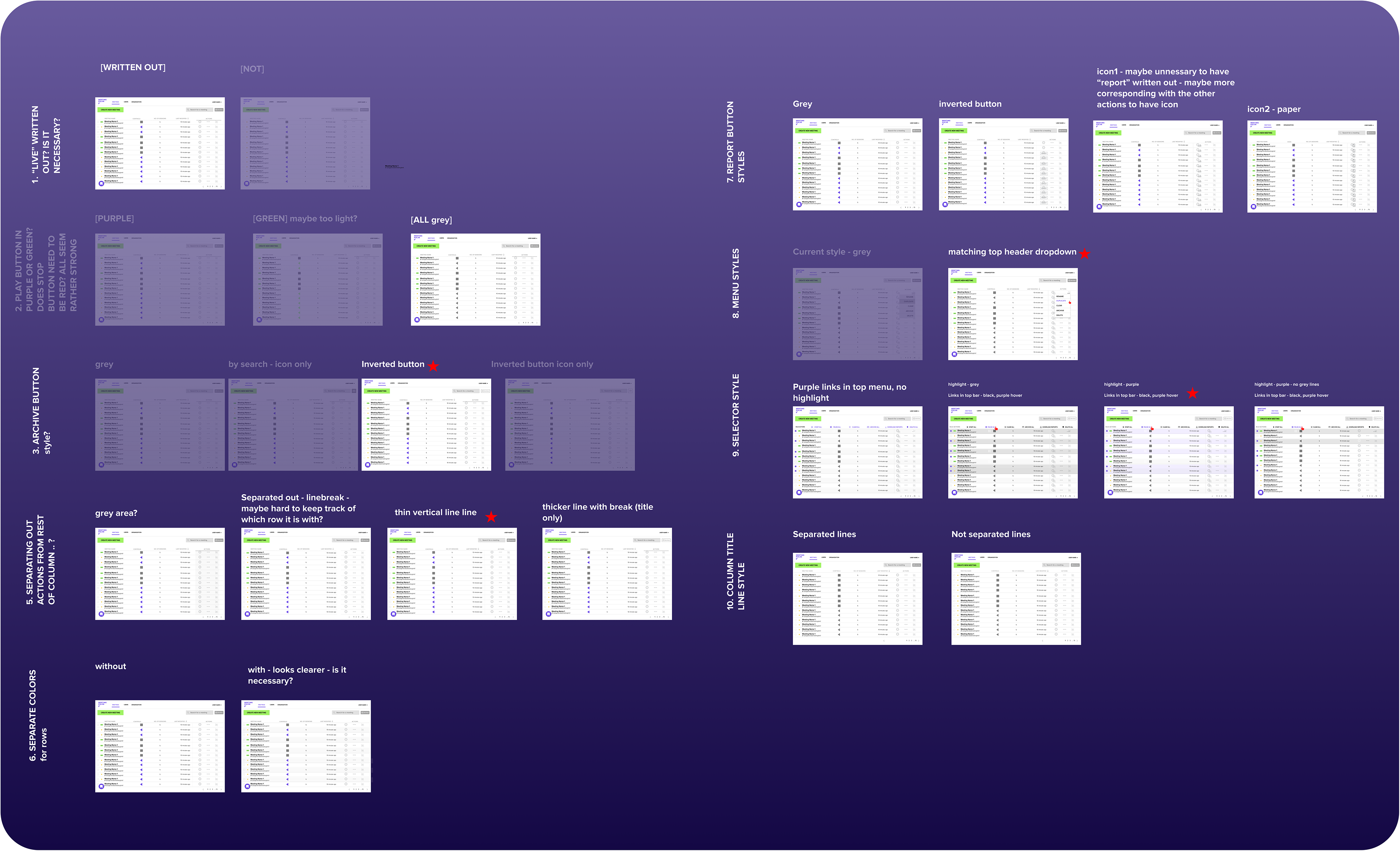
3. Design Decisions
Before moving all flows into high fidelity, there were many design decisions that I isolated for meetings with my design advisor. These include things like color choice, iconography, typography and visual hierarchy. I often mock up different UI options so that reviewers can see how they all look in context, then we cab decide on a winner. You can see we used red stars to indicate the "winners".
4. High fidelity flows
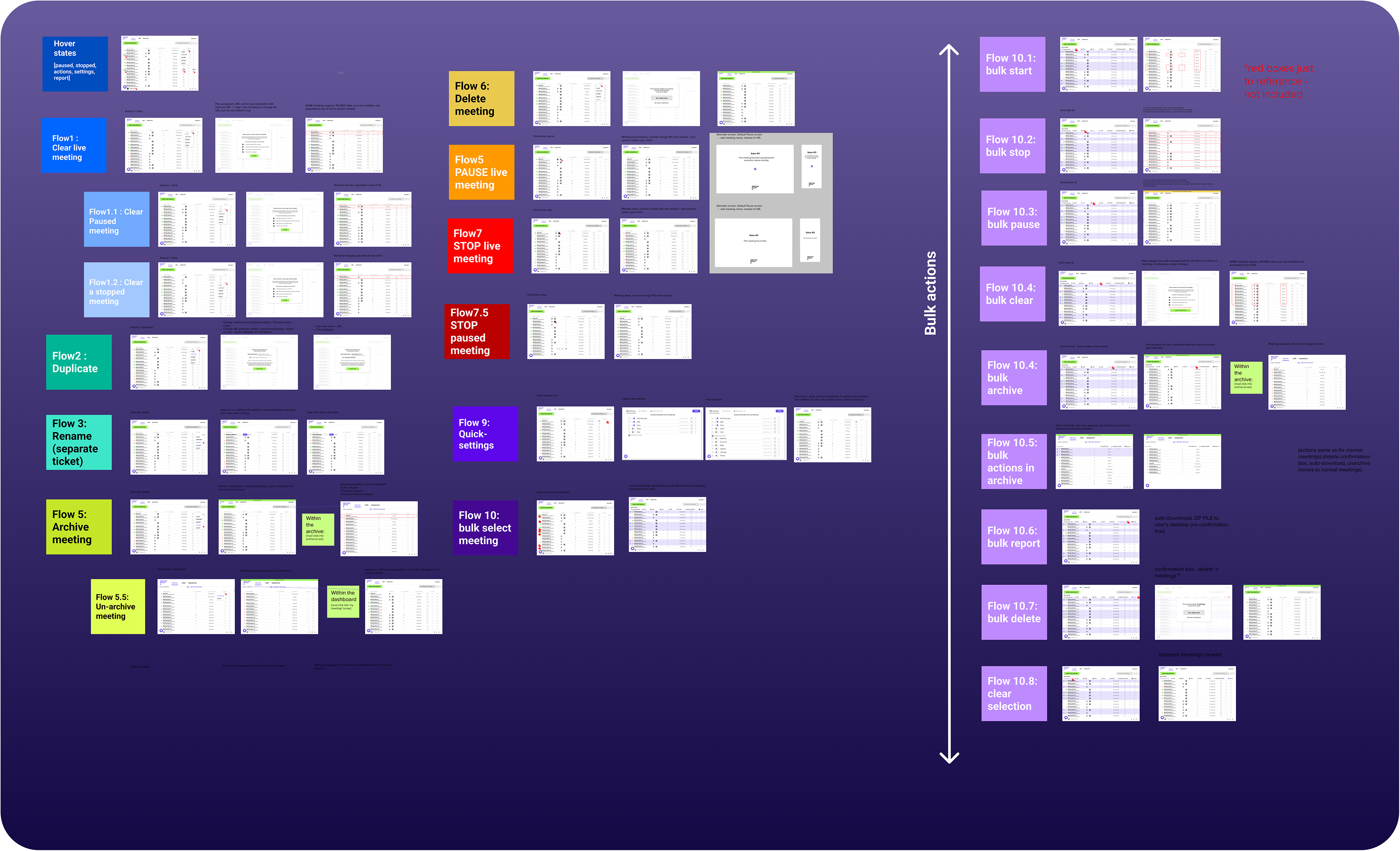
After design and functional decisions were made, I moved the flows into higher fidelity and designed every possible variation that a user could take. This resulted in 40+ screens that were then reviewed cross-functionally and iterated on many times.
II. Project Showcase: Transforming outdated UI into an professional enterprise dashboard and Presenter view
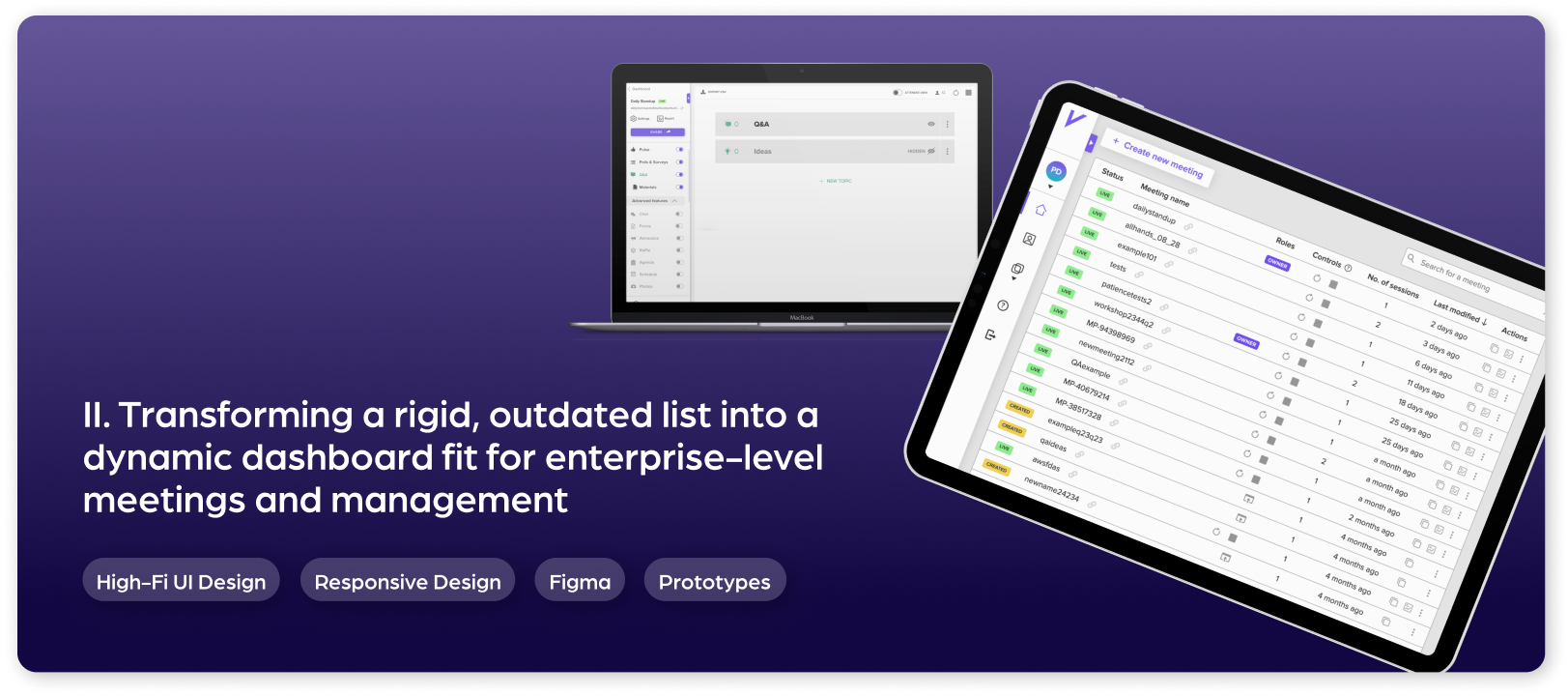
2. Dashboard redesign
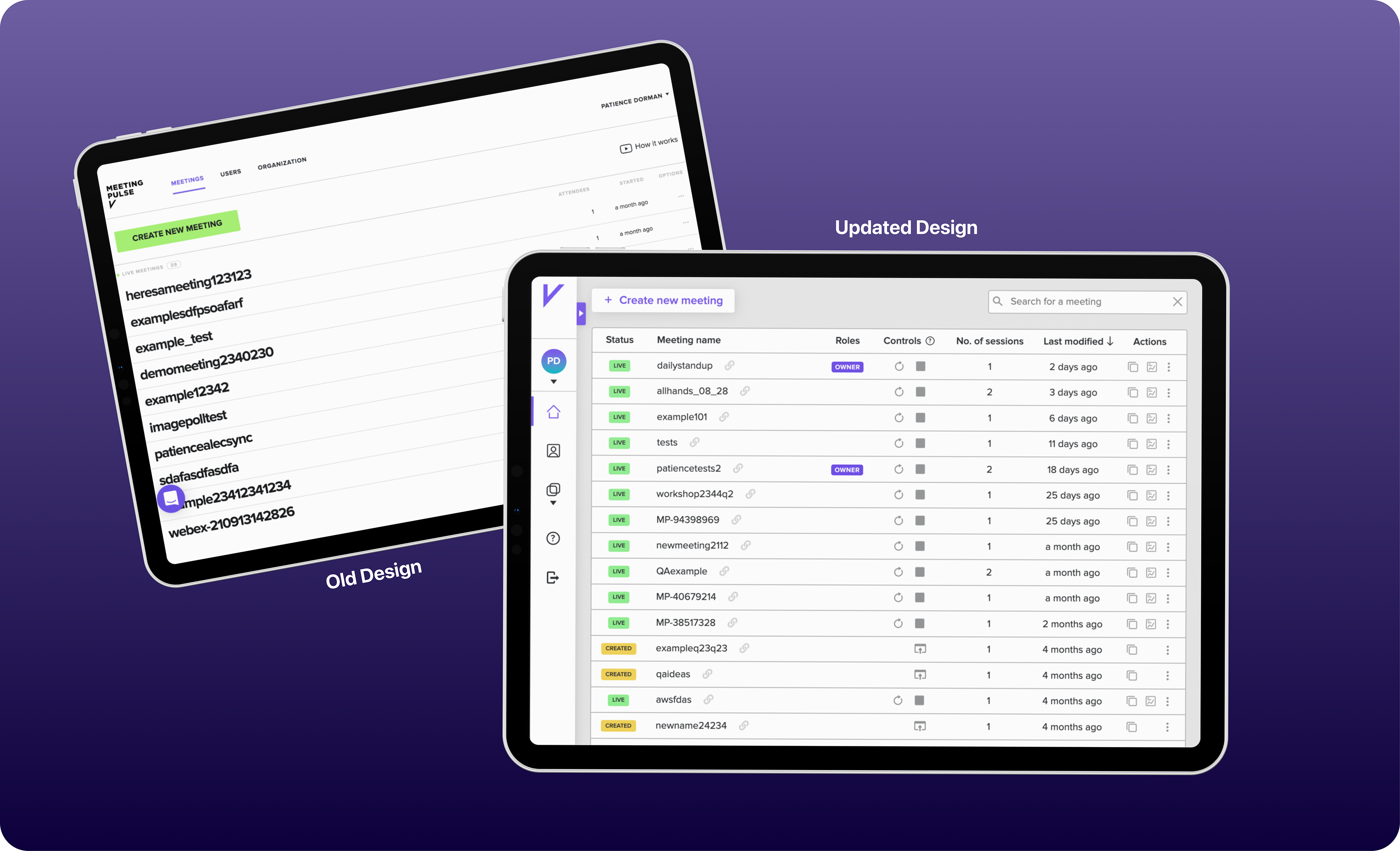
After completing the UX refactor, I assessed the UI, as it was also in need of a facelift. I wanted to make it more fit for the professionals using it. The old dashboard was a rigid list that failed to show the robustness of our product, showed a very limited number of meetings at a time, and required many clicks for the user to reach their desired action.I was the sole contributor in designing an improved UI. Changes included transforming the static, top nav bar and name dropdown into a collapsable side bar, which allowed space for a much more robust meeting table, with tags and buttons, allowing the user to manage the meeting without clicking off the page. The updates also included adding search and sort features, adding new iconography, shadows and coloring to make it more like a professional, enterprise software.
2. Presenter-View redesign
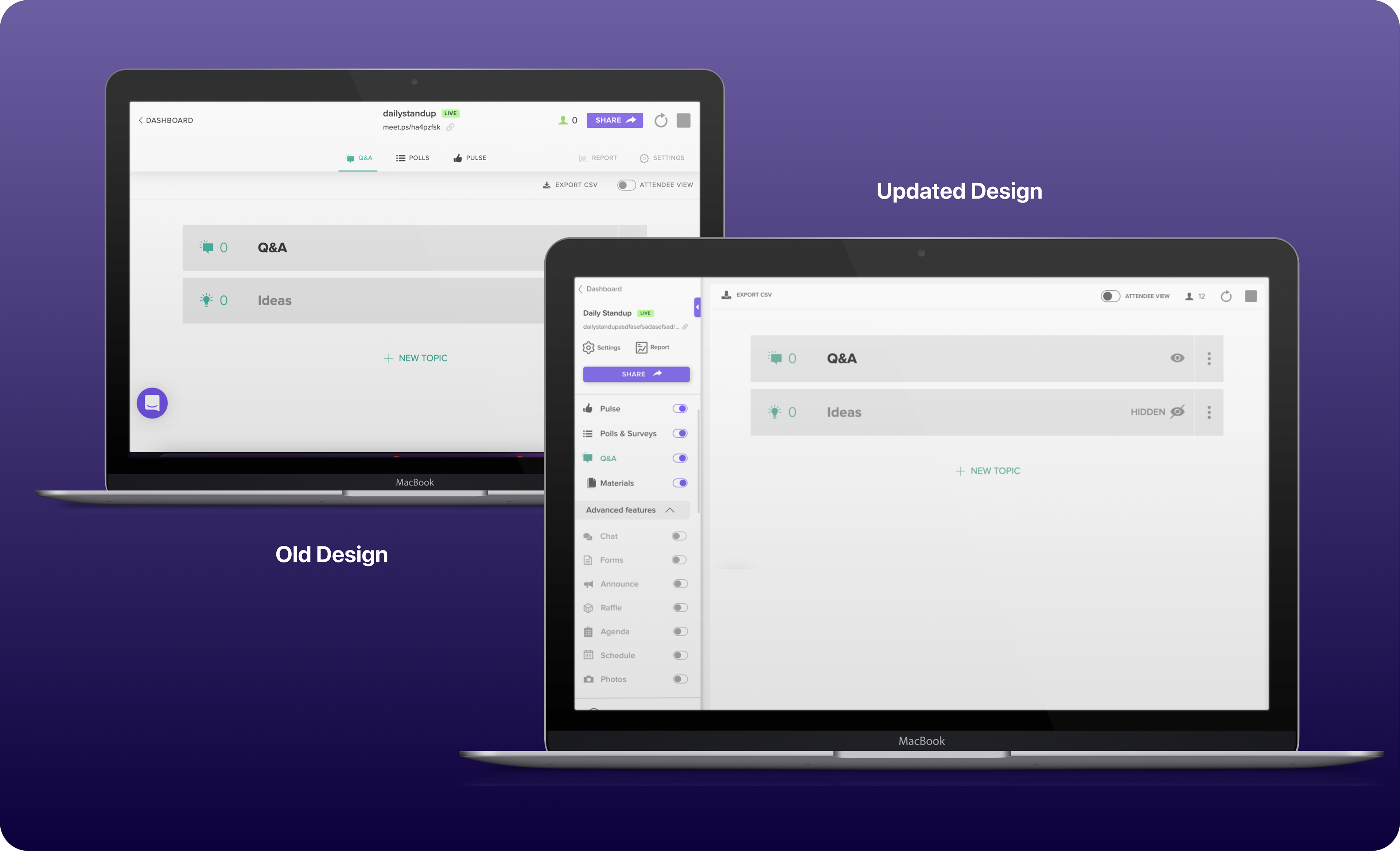
After landing on their dashboard, the presenter clicks into the 'presenter view' of their meetings, where they add features, set up polls, set up brainstorming sessions, and more. After realizing the value of the side bar in the dashboard, we extended the metaphor to the Presenter view. This again, allowed for actions to be done with a decreased number of clicks and increased the real estate for valuable, user-inputted content.
V. Project Showcase: Marketing website initiatives
With MeetingPulse, I have been highly involved with website design and project management, amongst many other marketing initiatives.
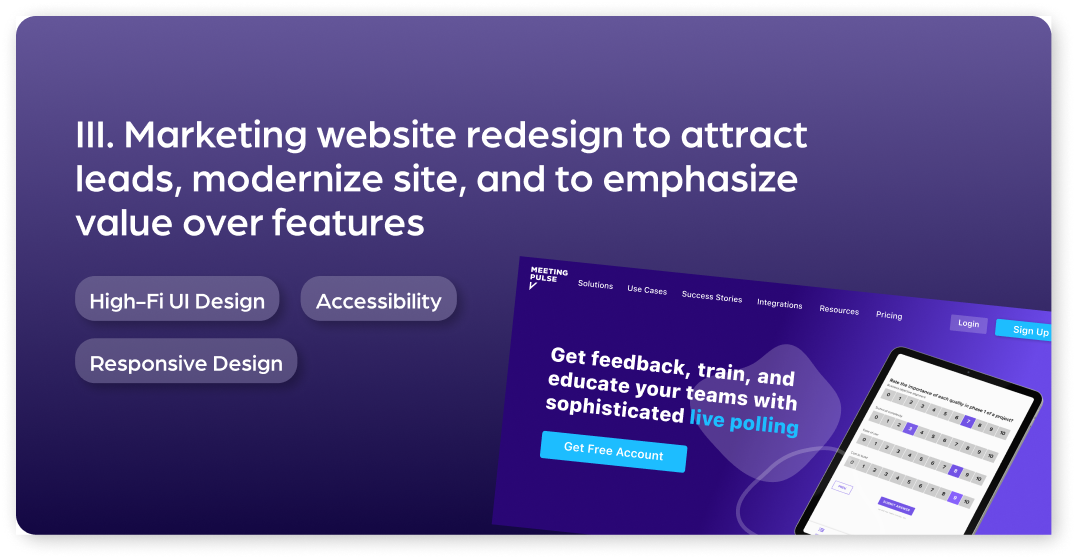
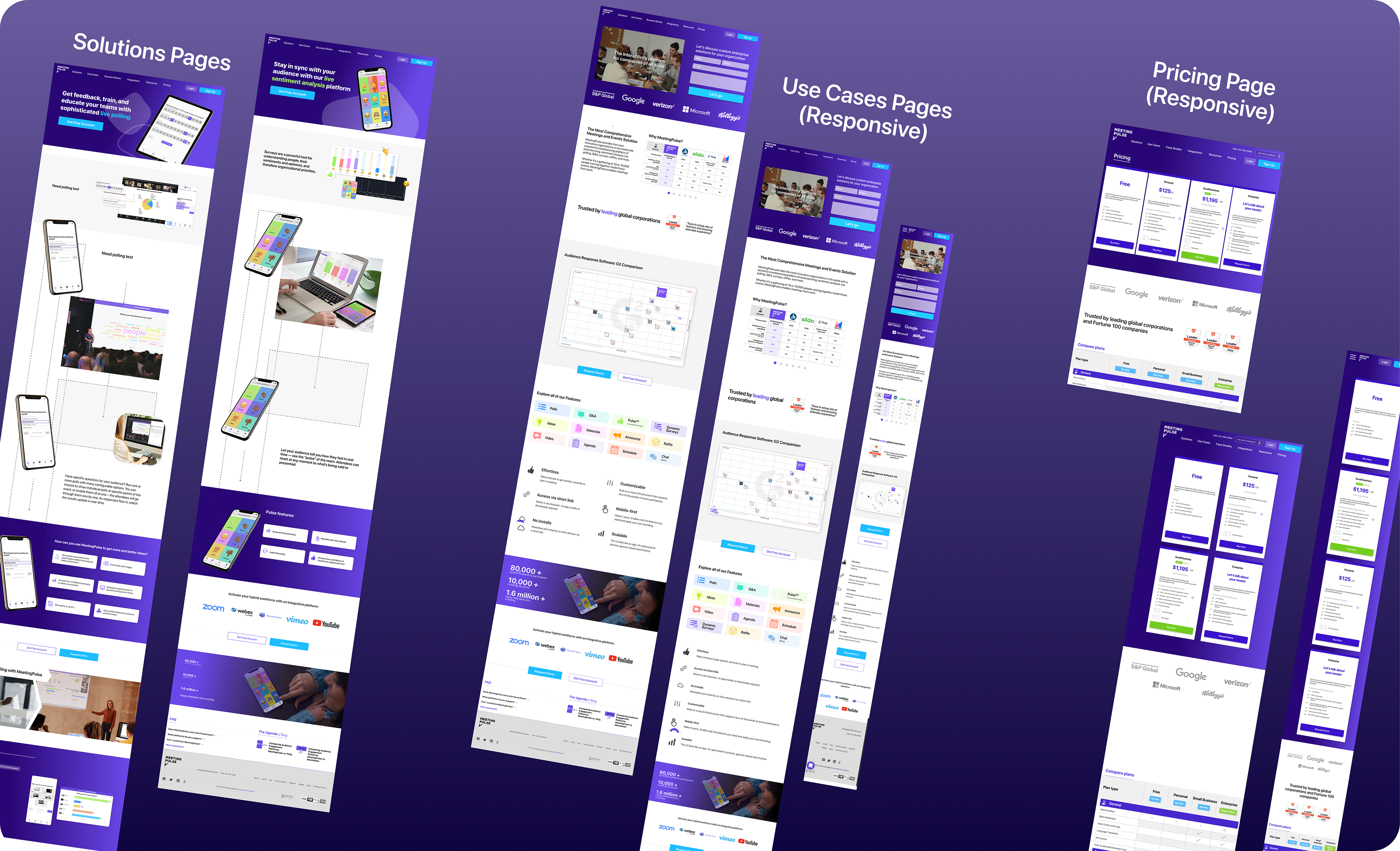
I lead and advocated for our team's migration from an outdated, stiff Wordpress template to Webflow for our marketing needs. This allowed us to cut down on development time significantly, use fresher designs, and made testing and editing much easier for every website stakeholder.
Furthermore, I've worked hand-in-hand with multiple CMO's to visually guide their marketing and sales goals, and to bring their strategy to life. Most recently, I redesigned the home page nav bar, including adding many new pages off of it including Success stories, case studies, and solutions. I balance industry trends, business objectives, marketing goals and user experience to craft the marketing website designs.
IV. Integrations
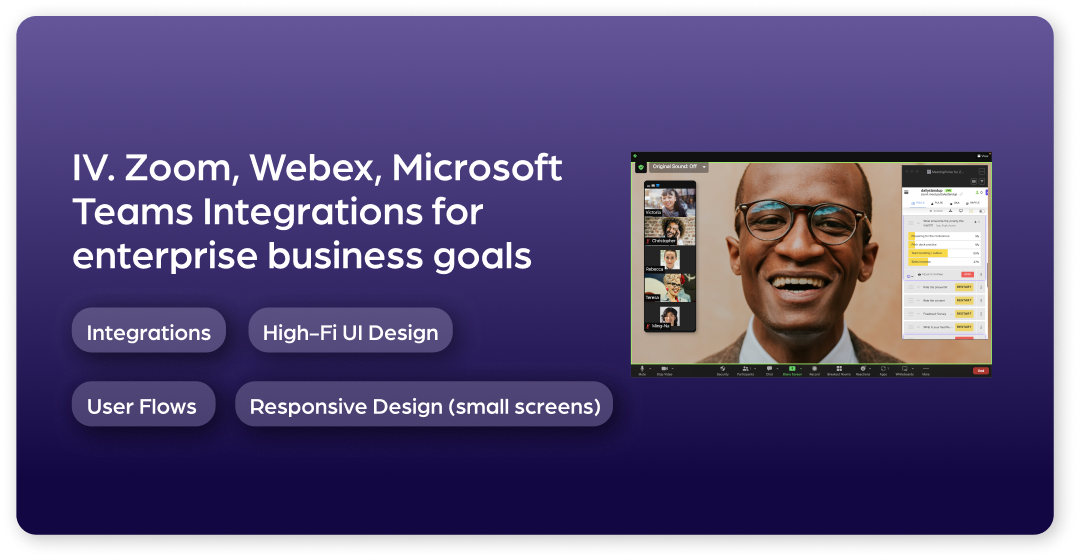
Zoom, Webex, MS Teams Integrations
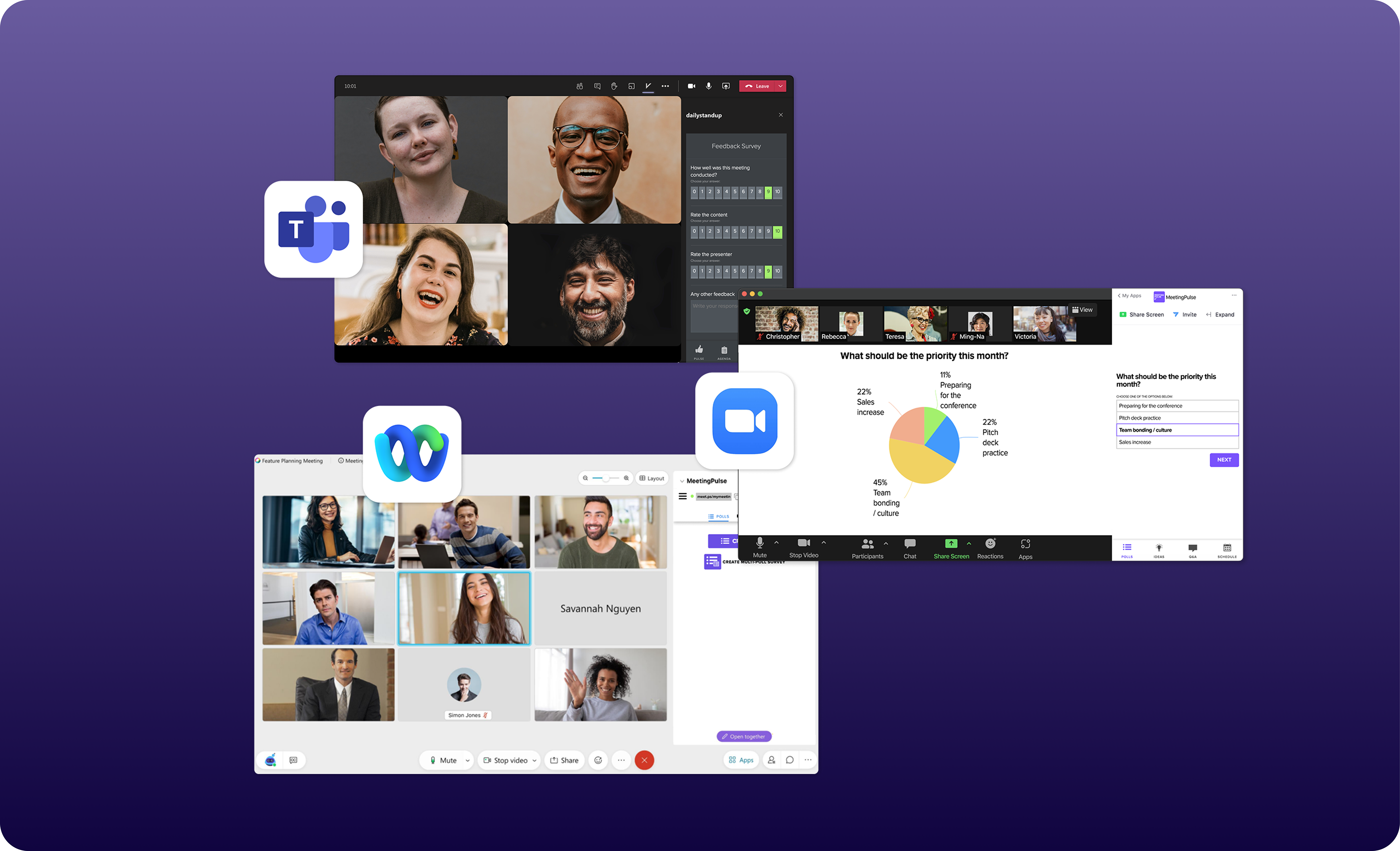
Our platform is integrated with other platforms more than 50% of the time. This includes Zoom, Webex, Microsoft Teams, Powerpoint, Youtube, Vimeo and more. We need seamless experience with each platform we integrate with.
I project managed and designed the experience for our Zoom, Webex & MS Teams integrations, leading us to successfully enter into their app stores. This required the creativity of envisioning our UX and UI in new ways, so that it could meet the requirements and interface of the desired platform. I worked very closely with development to implement these integrations as the technical requirements were often strict.
I also managed go-to-market activities and created all marketing materials, including landing pages, for the integrations.
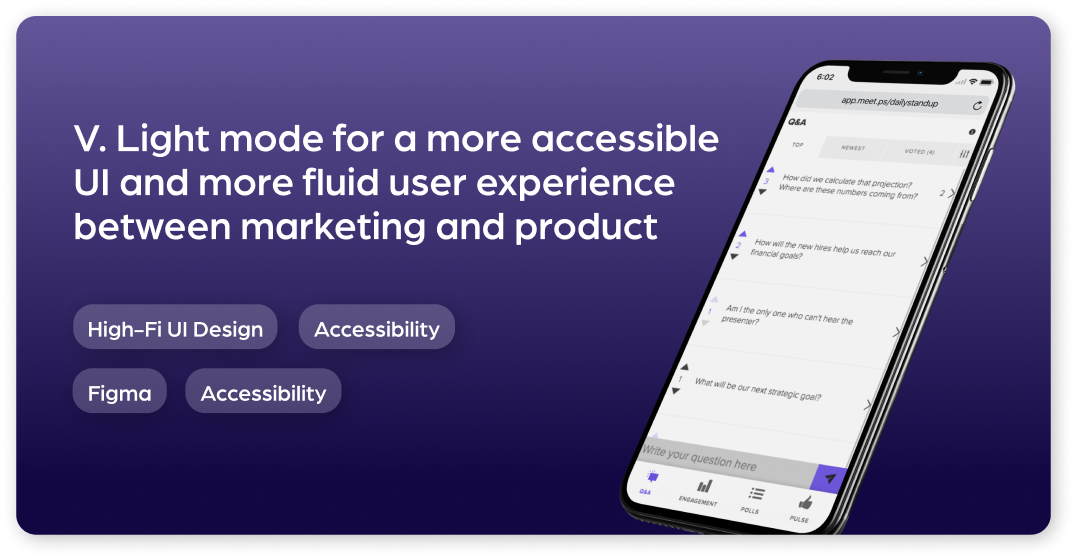
V. Project Showcase: Light mode implementation
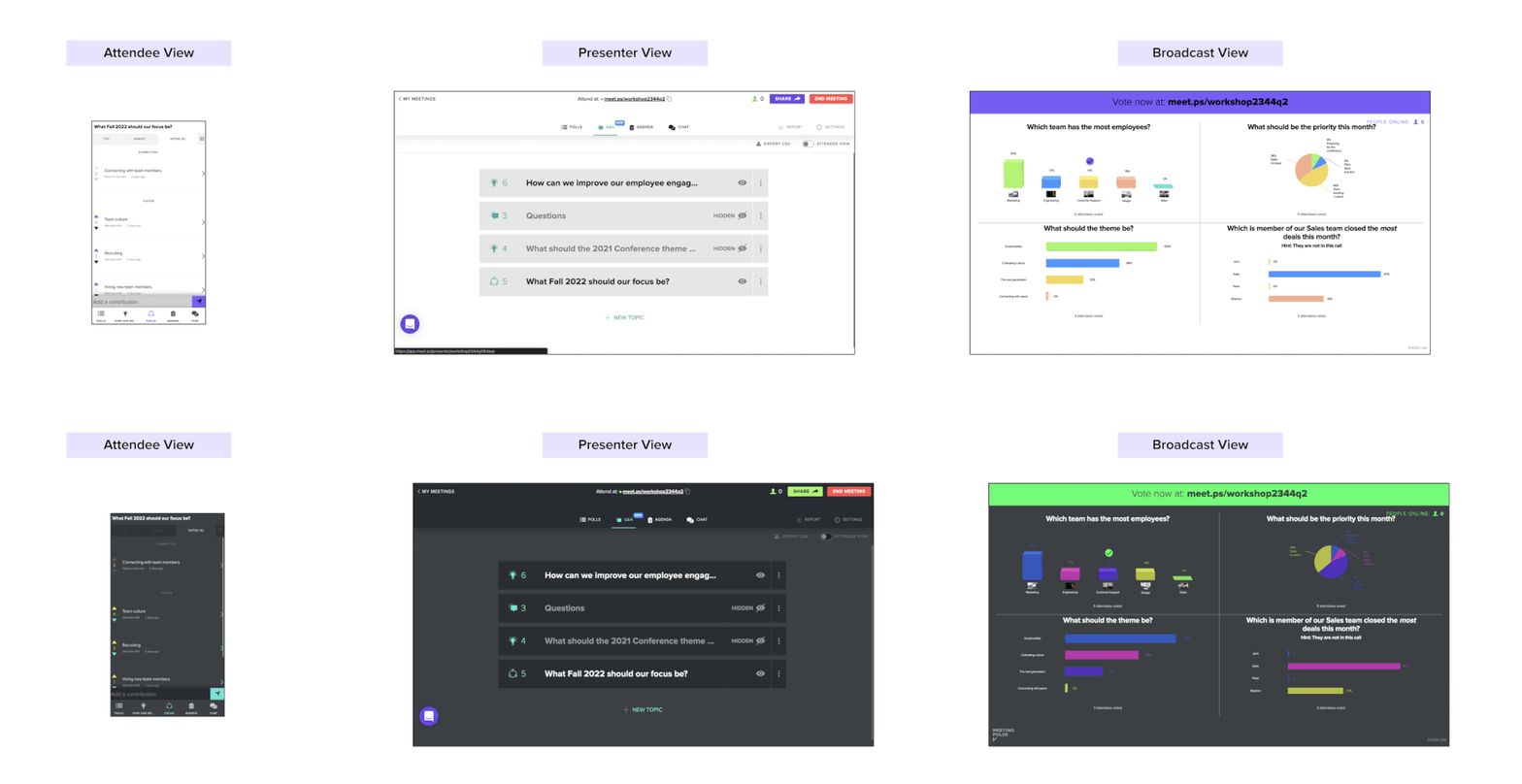
For years, the core presenter UI in MeetingPulse only existed in a "Dark Mode". However, the marketing site, Engagement Report, and Manager Dashboard all existed in Light mode. This made the experience of using the app (in which the user must go through the dashboard, presenter side, and report) visually harsh. Additionally, long-existed the ability to change the colors and themes for attendee side. Because of this, we decided to implement a light mode for the Presenter View. This way, the user can choose their preference and the experience is less stark.
Creating the Light Mode and the colors that would be in it involved using many accessibility tests and standards. It also involved creating a duplicate of our Design System in Light Mode. Overall, customers were very happy with the new change and the web to app to report experience is much more seamless.
To see more projects I've completed at MeetingPulse, please reach out